
In a world where laptops seem to age faster than fine cheese, keeping up with the latest tech can feel like a never-ending race. But fear not! Upgrading your laptop might just be the secret sauce to transforming your sluggish machine into a speedy powerhouse. Imagine breezing through tasks like a caffeinated squirrel—no more waiting for that spinning wheel of doom!
Importance Of Laptop Upgrades
Upgrading a laptop provides significant benefits. Such upgrades improve functionality and user experience.
Enhanced Performance
Upgraded components lead to better overall performance. A faster processor boosts processing speed, enabling smooth multitasking. Increased RAM capacity allows for running multiple applications simultaneously without lagging. Upgrading to an SSD dramatically shortens load times, making software and files accessible in seconds. These improvements result in a seamless computing experience.
Extended Lifespan
Laptop upgrades contribute to a longer device lifespan. By replacing outdated components, a user can keep their laptop running efficiently. New batteries provide more reliable power, prolonging usage between charges. Improved cooling systems minimize overheating, which prevents damage to essential parts. Investing in these upgrades often delays the need for a new laptop, leading to long-term savings.
Common Laptop Upgrades
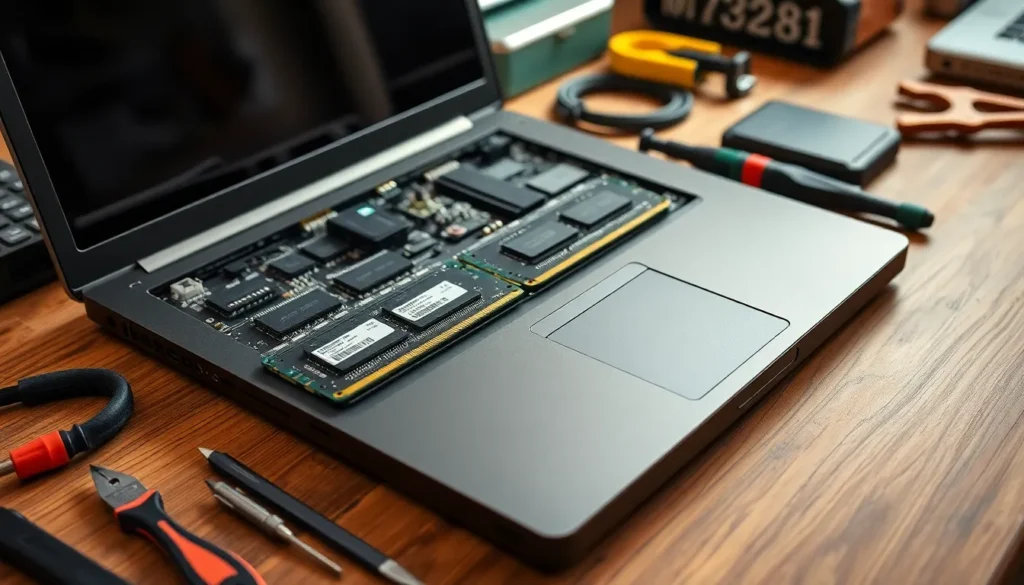
Upgrading a laptop can lead to remarkable improvements in performance. Three of the most common upgrades include RAM, SSDs, and battery replacements.
RAM Upgrade
A RAM upgrade boosts performance significantly. Adding more RAM allows for better multitasking, enabling users to run multiple applications simultaneously without lag. Most laptops support upgrades of up to 32 GB, depending on the specific model. For example, upgrading from 8 GB to 16 GB can double the available memory, leading to smoother operations. Manufacturers, like Crucial and Kingston, offer compatible RAM options for various laptop models.
SSD Upgrade
Switching to an SSD enhances data access speeds dramatically. Solid State Drives are significantly faster than traditional hard drives, leading to quicker boot times and application launches. An SSD can cut boot time down to 15-30 seconds compared to 60 seconds or more for HDDs. Users typically see a considerable improvement in overall system responsiveness. Popular choices for SSDs include Samsung and Western Digital due to their reliability and performance.
Battery Replacement
Replacing the battery can restore a laptop’s mobility. Over time, batteries lose capacity, resulting in shorter usage periods between charges. Swapping an old battery for a new one can extend usage time back to original specifications. Many manufacturers provide replacement batteries specific to their models, ensuring compatibility. Users may also notice improved performance while charging, as a new battery often maintains better power efficiency.
Selecting The Right Upgrades
Selecting appropriate upgrades requires understanding compatibility and budgeting accurately. Upgrading a laptop significantly depends on ensuring that new components align with the existing system.
Compatibility Considerations
Compatibility involves checking the specifications of the laptop before purchasing upgrades. Users should verify the RAM type and maximum capacity supported by their system. Storage options vary, as some laptops require specific SSD form factors like M.2 or SATA. Additionally, local or online support can offer insights into which upgrades fit particular laptop models. Consult the manufacturer’s guidelines or utilize online resources for compatibility checks. Prioritizing these factors prevents wasted investments and enhances performance effectively.
Budgeting for Upgrades
Budgeting renders an essential part of planning for laptop upgrades. Assess the cost of potential upgrades and prioritize based on necessity. For instance, upgrading RAM typically costs between $30 and $150, while SSD prices range from $40 to $300 based on capacity and speed. Investigating refurbished or off-brand options can yield savings without compromising quality. Allocating a budget helps users make informed decisions while maximizing performance. Implementing upgrades should align with both performance goals and available funds for the most beneficial outcome.
DIY Vs. Professional Upgrades
Upgrading a laptop can be done either by the user themselves or by hiring a professional. Each option presents distinct benefits and challenges.
Pros and Cons of DIY
DIY upgrades offer significant cost savings, allowing users to allocate funds elsewhere. Flexibility in choosing components caters to personal preference and budget constraints. Many resources, such as online tutorials and community forums, provide valuable support. However, the risk of damaging components during installation exists. Users also face potential compatibility issues if components do not match their laptop specifications. Time efforts for researching and executing upgrades can add to the overall commitment.
When to Hire a Professional
Hiring a professional can yield high-quality results, ensuring that upgrades meet technical standards. Technicians possess the expertise needed to manage complex upgrades, such as motherboard replacements or advanced cooling systems. Immediate troubleshooting can help identify underlying issues that users might overlook. This approach often results in a warranty for the work done, providing peace of mind. For individuals uncomfortable with technology or lacking time, hiring a professional becomes a practical option. Factors like the laptop’s age and expected lifespan can also influence this decision, prompting users to weigh urgency against upgrading costs.
Upgrading a laptop can be a game changer for users looking to enhance performance and prolong device life. By investing in components like RAM and SSDs, individuals can experience significant improvements in speed and efficiency.
Whether opting for DIY upgrades or seeking professional help, understanding compatibility and budgeting wisely are crucial steps. Prioritizing upgrades based on individual needs ensures that users get the most out of their investment.
With the right approach, a simple upgrade can transform an outdated machine into a reliable tool that meets modern demands. Embracing these enhancements not only boosts productivity but also extends the overall lifespan of the laptop, making it a smart choice for tech-savvy users.